
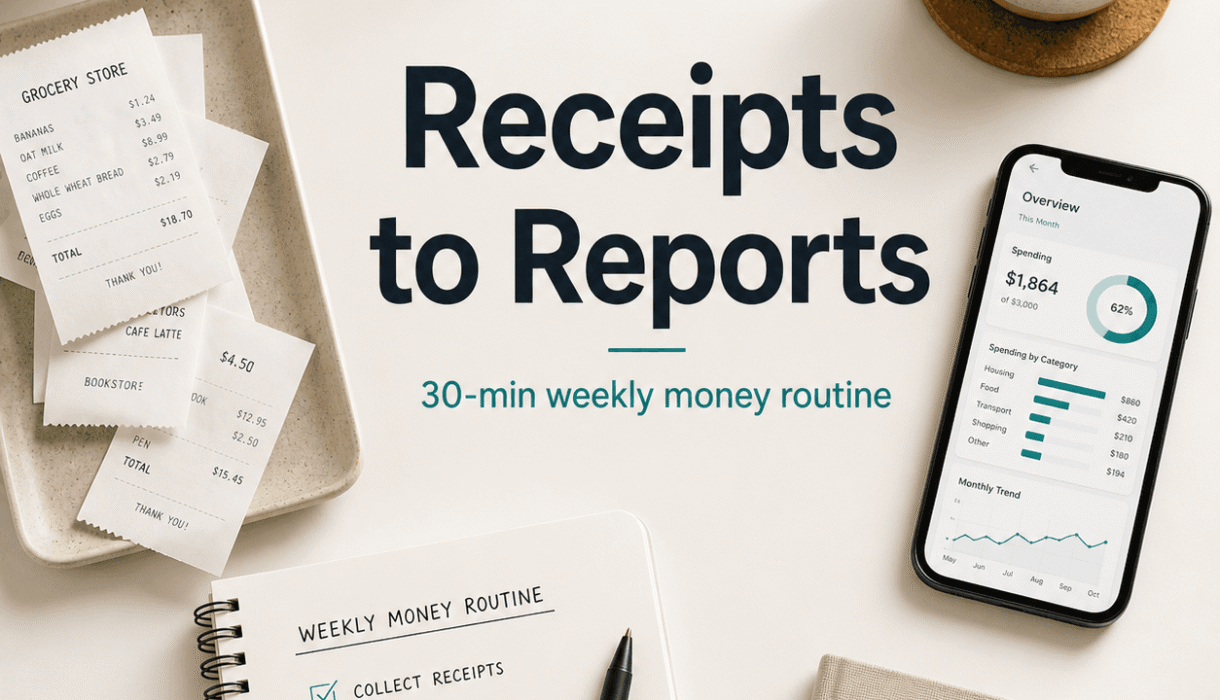

If your money admin life looks like this.
A shoebox of receipts. A pile of invoices. A bank balance you check more often than you admit. And a QuickBooks file that is technically there, but… you are not totally sure what’s in it.
You are not alone.
Most business owners are not “bad with money.” They are just busy. The problem is that financial mess is sneaky. It starts small, then suddenly you are behind on categorizing, behind on invoicing, unsure about taxes, and making decisions off vibes.
This is the fix I’ve seen work over and over.
A simple 30 minute weekly routine that turns receipts into reports, without making you feel like you need a finance degree. It’s not perfect. It’s not fancy. It’s just consistent. And consistency is what makes your books useful.
Below is the exact routine. Set a timer. Do it once a week. If you miss a week, fine. Do it next week and keep moving.
What you need before you start (5 minutes to set up once)
This is the one time setup that makes the weekly routine actually take 30 minutes.
- One place where receipts land (not three).
- One place where invoices and bills land.
- A bookkeeping system (QuickBooks Online is common, but the routine works for others too).
- Bank and credit card feeds connected, if possible.
If you are using QuickBooks Online, connect:
- Business checking account
- Business credit card
- Payroll account (if separate)
- Any loan or line of credit accounts that have regular activity
And choose a “receipt capture” method:
- QuickBooks Receipts (snap a photo, forward an email receipt)
- A shared email inbox like receipts@yourdomain.com
- A simple phone album called “Receipts to Enter”
You do not need a complicated workflow. You just need receipts to stop living in your car, your wallet, and your inbox forever.

To avoid falling into this financial chaos again, it’s essential to understand what kind of records should be kept for your business. This IRS guide provides valuable insights into the types of records that are necessary for effective financial management.
The 30 minute weekly money routine (do it the same day every week)
Pick a day. Seriously, pick one.
Friday afternoon works for some people. Monday morning works for others. I like midweek, because you can still fix something before the weekend.
Put it on your calendar as a recurring meeting. Title it something like “Money Reset.”
Now, here’s the routine.
Minute 0 to 3: Download or gather the week’s receipts and bills
Your goal is not to “do accounting.”
Your goal is just to gather the paper trail so nothing goes missing.
Checklist:
- Screenshot any online purchases (or forward email receipts)
- Grab physical receipts from your wallet, car, desk
- Pull vendor bills that came in via email
- Grab mileage logs if you track mileage manually
If you already capture receipts through an app, your job is just to confirm they are actually there.
Tiny tip that matters: write a quick note on weird receipts.
Like.
“Client lunch with Sam.”
“Home Depot supplies for Smith job.”
“Parking for conference.”
Future you will not remember. Future you will guess. And guessing creates messy books.
Minute 3 to 12: Review the bank feed and categorize transactions
This is the part that makes everything else easier.
Open your bookkeeping software and go to the bank feed. You are hunting for:
- Uncategorized transactions
- Duplicate transactions
- Anything personal that accidentally hit the business account
- Anything that looks off, like surprise subscriptions
Your goal in this 9 minute block:
- Categorize what you can quickly
- Flag what you are unsure about
- Do not get stuck
A simple method:
Do the easy wins first
Fuel, software subscriptions, phone bill, merchant fees, shipping, office supplies. Most of your week is probably repeat expenses.
Then do the “needs context” items
Anything from Amazon. Anything from a big box store. Anything that could be supplies or equipment.
If you don’t know, don’t guess. Add a note and move on:
- “Amazon, need receipt”
- “Check if this was client expense”
- “Is this reimbursable?”
That way you keep momentum.
Watch for duplicates
This happens a lot with payment processors or pending charges.
If you see the same amount twice, same vendor, close together, do not categorize both as expenses without checking. One might be a pending authorization, or a duplicate feed entry.

Minute 12 to 16: Match receipts to the “odd” transactions
Now you go back to the receipts pile.
Find the receipts that explain the transactions you could not categorize confidently.
Common “odd” transaction categories:
- Amazon and other marketplaces
- Hardware stores
- Meals
- Travel
- Contractor payments
- Large purchases that might be equipment
This does not have to be perfect in 4 minutes. The point is to reduce mystery.
If you cannot find a receipt, leave a note. You can still categorize in a reasonable way, but it’s better to know you are missing documentation than pretend everything is fine.
Also. If you are constantly missing receipts from the same vendor, that is a system issue, not a discipline issue. Set that vendor to email receipts to a dedicated address.
For more detailed tips on managing your bookkeeping effectively before tax season, consider checking out this comprehensive guide on how to clean up your bookkeeping before tax season.
Minute 16 to 21: Check invoices and make sure cash is actually coming in
This step is where a lot of businesses quietly bleed.
Not because they are unprofitable. Because invoices go out late, or follow up doesn’t happen, or someone “forgot” to pay.
Here’s what to do:
- Look at Open Invoices (Accounts Receivable)
- Identify anything over 7 days past due
- Send one short follow up
You do not need a long email. Something like:
“Hey, just bumping this to the top of your inbox. Invoice #1042 is past due. Can you confirm payment date?”
That’s it. No apology. No big explanation. Just clear, professional, normal.
If you want the routine to stay 30 minutes, send follow ups only for the oldest or largest invoices during the weekly session. You can batch the rest later.
Quick note: if you hate invoicing and collections, that’s exactly why you need this routine. A 5 minute weekly habit beats a stressful 3 hour scramble once a quarter.
Minute 21 to 25: Quick cash check (what can you pay, what should you delay)
This is not a full cash flow forecast. It’s the quick version.
Look at:
- Current bank balance
- Expected inflows in the next 7 days (invoices likely to be paid, scheduled payments)
- Expected outflows in the next 7 days (payroll, rent, loan payments, subscriptions)
Ask two questions:
- Do I have enough cash for the next week without stress?
- If not, what is the easiest lever to pull?
Easy levers might be:
- Follow up on a big outstanding invoice today
- Pause a non essential subscription
- Delay a discretionary purchase
- Move owner draw to next week
- Negotiate a payment date with a vendor
This 4 minute check keeps you from getting surprised. Most cash problems are not sudden. They are ignored.
Minute 25 to 30: Snapshot your numbers (one mini report, every week)
This is where “receipts to reports” becomes real.
You do not need a 30 page financial packet. You need a small set of numbers you can trust.
At minimum, pull:
- Profit and Loss (this month to date)
- Balance Sheet (as of today)
And if you want one more that’s genuinely useful:
- Accounts Receivable aging
Then write down, in a note or a simple Google Doc:
- Revenue week to date (or month to date)
- Top 3 expenses this week
- Current cash balance
- Any weird stuff you noticed
This becomes your running money journal.
And it pays off. Because after 8 to 12 weeks of this, patterns show up:
- Which months are slow
- Which expenses creep up
- Whether payroll is outpacing growth
- Whether pricing needs to change
- Whether a “busy” business is actually making money

What this routine actually solves (in real life)
A weekly routine like this does a few unsexy things that matter a lot.
1. It stops the end of month panic
Because you’re basically doing “micro bookkeeping” every week.
2. It makes tax time boring
Boring is good. Boring means you have your documentation.
3. It gives you decision ready numbers
You stop making decisions based on bank balance alone.
Bank balance is not profit. It’s just cash at a moment in time. Your reports tell the real story.
4. It helps you catch problems early
Duplicate charges. Subscriptions you forgot about. Vendors overbilling. Clients stretching payments. All of that shows up faster when you look weekly.
Common mistakes that make the routine take longer than 30 minutes
Let’s keep this honest. Here’s where people get stuck.
Getting obsessed with perfect categorization
If you don’t know, flag it. Add a note. Move on.
You can fix a few items later. Momentum matters more than perfection.
Mixing business and personal spending
This is the silent killer.
If personal expenses are running through the business account, you will spend half your weekly session untangling it. If this is happening a lot, it’s worth opening a separate business credit card and using it only for business.
Not reconciling for months
This routine is not full reconciliation. But if you never reconcile, your reports slowly become unreliable.
At least monthly, reconcile your bank and credit card accounts. If you want to keep things simple, make it the first weekly session of every month.
A simple weekly checklist you can copy paste
You can paste this into a recurring calendar event description.
Weekly Money Reset (30 minutes)
- Gather receipts and bills (3 min)
- Categorize bank feed, flag unknowns (9 min)
- Match receipts to odd transactions (4 min)
- Review open invoices, send 1 to 3 follow ups (5 min)
- Quick cash check for next 7 days (4 min)
- Pull P&L, Balance Sheet, AR aging. Note key numbers (5 min)
Done.
When to bring in help (because sometimes 30 minutes is not enough)
A weekly routine is powerful. But there are situations where you should not try to DIY your way out.
Consider getting support if:
- You are behind more than 2 months
- You don’t trust the numbers in your reports
- You have payroll and job costing and multiple accounts and it’s all kind of tangled
- You are growing and making bigger decisions, like hiring or financing equipment
- You need forecasting, cash flow planning, or KPI tracking, not just bookkeeping
This is where a good bookkeeping partner changes the game. Clean books first, then decision support.
If you want a second set of eyes on your QuickBooks file, Smart Bookkeeping Partner offers a free QuickBooks health check. It’s basically a sanity check on how transactions are recorded, what’s reconciled, and what cleanup is needed, then you get a walkthrough of the findings.
You can check that out at: https://smartbookkeepingpartner.com/
Or call: 985-401-1210
No pressure, but if you are doing the weekly routine and still feel like your numbers are mushy, that’s usually a systems issue. Fixable.
The real point of this routine
It’s not about being “good at bookkeeping.”
It’s about building a business where you can answer basic questions without stress:
- Did we actually make money last month?
- Are we on track for payroll?
- Are clients paying on time?
- Is this new expense worth it?
- Can we afford to hire?
- Is cash tight because of timing, or because we’re not profitable?
When your receipts turn into reports, you stop guessing. That’s the shift.
Set a timer this week and try it once. Thirty minutes. Slightly messy, totally fine.
Then do it again next week. That’s when it starts working.
FAQs (Frequently Asked Questions)
What is a simple routine to manage my business finances effectively?
A simple 30-minute weekly routine can help turn your receipts into reports consistently. This involves gathering receipts and bills, reviewing and categorizing bank transactions, matching receipts to transactions, and keeping your bookkeeping system updated. Consistency in this routine makes your books useful without requiring a finance degree.
What do I need to set up before starting the weekly money management routine?
Before starting, set up one place for receipts, one place for invoices and bills, and choose a bookkeeping system like QuickBooks Online. Connect your business checking account, credit card, payroll account, and any loan accounts to the system. Also, select a receipt capture method such as QuickBooks Receipts, a shared email inbox for receipts, or a dedicated phone album for receipt photos.
How do I organize my receipts and invoices efficiently?
Organize all receipts in one place instead of multiple spots like your car, wallet, or inbox. Use methods like snapping photos with QuickBooks Receipts, forwarding email receipts to a shared inbox (e.g., receipts@yourdomain.com), or maintaining a phone album labeled ‘Receipts to Enter.’ This prevents losing track of important financial documents.
How should I review and categorize bank transactions during my weekly routine?
During the bank feed review (about 9 minutes), categorize easy transactions first such as fuel, software subscriptions, phone bills, shipping, and office supplies. Then flag transactions needing more context without guessing—add notes like ‘Amazon, need receipt’ or ‘Check if client expense.’ Watch out for duplicates or personal expenses accidentally recorded in business accounts.
Why is it important to add notes on unusual receipts?
Adding quick notes on unusual receipts like ‘Client lunch with Sam’ or ‘Home Depot supplies for Smith job’ helps future you remember the purpose of the expense. Without notes, you might guess later which can create messy books and complicate accurate bookkeeping and tax preparation.
What should I do if I miss a week of my financial routine?
If you miss your scheduled weekly money routine, don’t worry. Just pick it up the following week and keep moving forward. The key is consistency over perfection; regular attention helps avoid falling behind on categorizing expenses and invoicing.