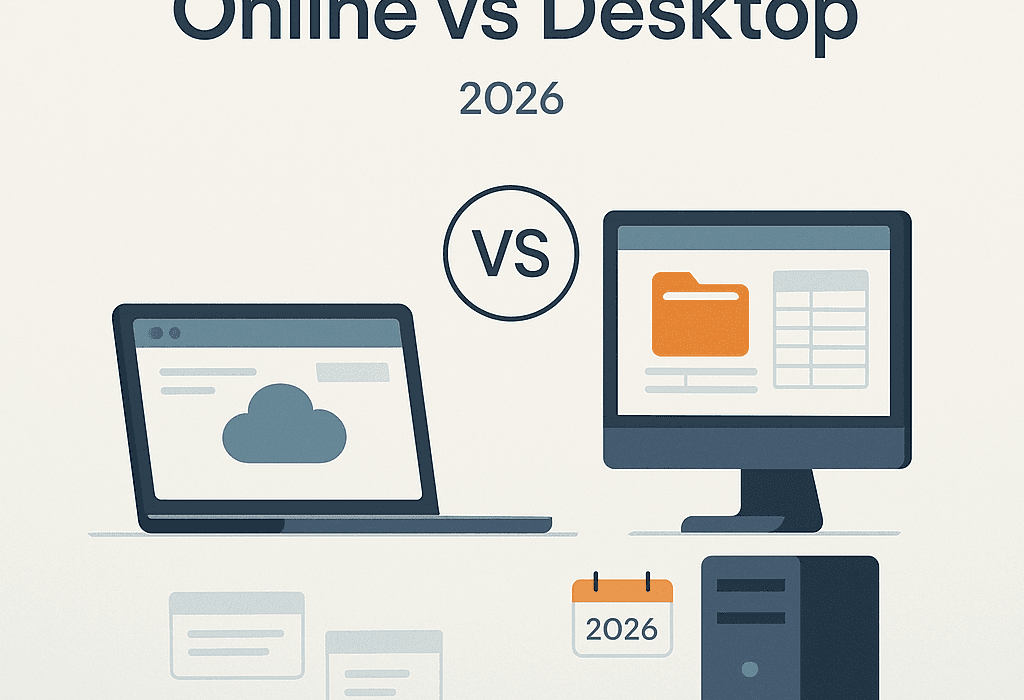

Picking between QuickBooks Online and QuickBooks Desktop used to be a pretty normal software choice. Like, do you want cloud or do you want installed.
In 2026 it feels a little more loaded than that.
Because it’s not just “where does the file live.” It’s how you collaborate, how fast you close your books, whether payroll is smooth or a monthly headache, whether your accountant can log in without a 47 step ritual. And honestly. Whether you’re building a business you can actually understand from the numbers, not just survive tax season.
So let’s break it down in plain English. I’ll tell you where each one shines, where people get burned, and how to decide based on how you actually run your business.

The short version (for impatient people)
If you want to work from anywhere, collaborate with a bookkeeper, connect apps, automate, and stop passing files around… QuickBooks Online is usually the better fit.
If you need deep, old school features like heavy duty job costing (especially for some contractors), very custom reporting workflows, or you’re tied to a specific Desktop setup and you’re fine living in that world… Desktop can still work.
But in 2026, “can still work” and “best fit” are different things.
What’s actually different between Online and Desktop in 2026?
Let’s start with the baseline.
QuickBooks Online (QBO)
Cloud based. You log in through a browser or app. Your data is stored online. Updates happen in the background. Your accountant can access it without you emailing anything.
It’s built for connection. Bank feeds, apps, payroll platforms, payment tools, inventory add ons, reporting overlays. That ecosystem is the whole point. The advantages of cloud-based accounting solutions are numerous, making QBO a preferred choice for many businesses.
QuickBooks Desktop (QBD)
Installed software. Traditionally one computer or a local network. Your company file lives on a hard drive or server, unless you’re hosting it somewhere.
Desktop has been around forever, and it shows. In a good way sometimes. It has depth. But it also has friction. Updates, file access, remote work, integrations. You feel it.

Pricing in 2026: the part no one enjoys talking about
Pricing changes. A lot. So I’m not going to lock this article into exact monthly numbers that will look silly later.
Instead, here’s how pricing tends to behave:
QBO pricing tends to be:
- Monthly subscription
- Tiered by features (simple start vs essentials vs plus vs advanced)
- Extra costs for payroll, payments, additional users, and sometimes advanced reporting features
Desktop pricing tends to be:
- Annual subscription (most cases now)
- Higher upfront feeling
- Extra for payroll, support, add ons, multi user access, or hosting if you want remote access
The “cheaper” option depends on how you work. If you buy Desktop but then pay for hosting, IT support, backups, and payroll services… it can end up not cheap at all. Just complicated.
Access and collaboration: this is where the gap gets real
This is the part that quietly drives most businesses toward Online.
With QuickBooks Online:
- Your bookkeeper can log in when you’re asleep. Seriously.
- You can approve transactions, answer questions, upload receipts, check reports from your phone.
- No file sending. No “which version is the most current one.”
If you’re trying to run a business with a remote team, or you travel, or you just don’t want your accounting tied to one laptop that might die tomorrow. QBO is the simple answer.
With QuickBooks Desktop:
Collaboration is possible, but it’s… a project.
You might be:
- Setting up multi user mode on a server
- Using remote desktop software
- Hosting the file through a third party
- Emailing backups back and forth (please don’t do this, but people do)
And then you hit the “we’re locked out” moment. Or the file gets corrupted. Or someone posts entries in the wrong copy. It happens.
If you want clean books with fewer moving parts, Online is usually the calmer life.
Features: where Desktop still has an argument
To be fair. Desktop has some real power.
Desktop tends to win on:
- Certain advanced job costing workflows (depends on industry and setup)
- Some reporting flexibility, especially if you’re used to building custom reports there
- Working with huge company files that have been around for years (Online can handle a lot too, but Desktop is still a beast for legacy files)
- Having full control when you don’t want cloud reliance
If you’re a construction company with complex job costing and you have an established system that works. Desktop might still be your tool.
But. And this is important.
A lot of people stay on Desktop because they think they need it, when what they really need is better bookkeeping structure and better reporting habits.
Those are different problems.
Bank feeds and automation: QBO is built for this
In 2026, bank feeds are not optional. If you are manually entering every transaction, I promise you’re wasting time and increasing errors.
QBO bank feeds:
- Generally smoother
- Rules are easier to use
- Integrations are stronger (receipt capture tools, bill pay, expense apps, ecommerce connectors)
Desktop bank feeds:
They exist, but they’re clunkier. And the workflow tends to feel like it was bolted on, not designed in.
If you want faster monthly closes, fewer miscoded transactions, and a system that can scale. Online usually wins.

Reporting and visibility: what you actually need to run the business
Here’s what I see constantly.
Business owners say they want “reports.” What they usually mean is:
- cash flow clarity
- profit clarity
- what can I pay myself
- what’s actually costing me money
- which service line is working
- what to do next month so I don’t feel behind
QBO reports can be great if your file is set up correctly. Classes, locations, products and services, consistent categorization, clean reconciliations. That’s the foundation.
Desktop reports can be powerful too. But the same rule applies: garbage in, garbage out.
If your books aren’t reconciled and your chart of accounts is messy, neither version will magically give you decision ready numbers.
This is where we come in, by the way.
Smart Bookkeeping Partner does a free QuickBooks health check to look at how transactions are recorded, what’s reconciled, and what cleanup is needed. Then we walk you through what we found, so you’re not guessing. If you want that, you can check out https://smartbookkeepingpartner.com/ or call 985-401-1210.
Payroll: QBO vs Desktop, and why a lot of teams move payroll out of QuickBooks
Payroll deserves its own section because payroll is one of those “it’s fine until it’s not” things.
QuickBooks payroll can work. For some businesses, it’s totally adequate.
But a lot of owners want payroll to be:
- easy for employees
- clean in the books
- compliant without constant stress
- integrated with time tracking and benefits
- not dependent on a single machine or local install
That’s why we often recommend Gusto for payroll.
It’s smoother for onboarding, pay runs, filings, and employee self service. And the integration into QuickBooks Online is usually straightforward.
If you’re considering Gusto, here’s our referral link (and yes, there’s a perk):
Use this link to sign up: https://gusto.com/r/everylanne4b19bb6
With the Smart Bookkeeping Partner promo for new Gusto clients, once you sign up using our referral link, after your first paid bill you’ll receive $200 worth of gift cards.
That’s a pretty nice offset when you’re setting everything up.

Inventory and ecommerce: it depends, but Online plays nicer with modern tools
If you sell products, inventory is where QuickBooks decisions get spicy.
QBO inventory:
Decent for basic inventory. But many businesses outgrow it and use integrations (Shopify, Amazon connectors, inventory platforms, POS systems). QBO tends to be the better hub for that setup.
Desktop inventory:
Historically stronger in some inventory workflows, especially if you’re used to doing everything inside Desktop. But modern ecommerce stacks tend to live in the cloud, and Desktop can start feeling like the odd piece.
If you’re ecommerce and you want your bookkeeping to keep up with sales channels and apps, QBO is usually easier to build around.
Security and backups: cloud fear vs real life risk
A lot of people say, “I don’t trust the cloud.”
But then their Desktop file is:
- backed up “sometimes”
- stored on one computer
- with no off site backup
- and the password is written on a sticky note
So… yeah.
QBO:
- automatic backups on the provider side
- access controls
- audit log
- two factor authentication options
Desktop:
- you control backups, which can be great if you actually do it correctly
- but if you don’t, the risk is very real
- file corruption is also a thing, especially with older workflows
The honest answer is: both can be secure, but QBO removes more of the human error risk for most businesses.
Migrating from Desktop to Online in 2026: what to expect (and what to avoid)
If you’re thinking about moving, expect it to be a real project. Not necessarily painful, but not “click a button and done” either.
Common issues:
- Your chart of accounts is messy and you don’t want to bring the mess over
- Inventory doesn’t migrate cleanly depending on settings
- Historical job costing data can get weird
- Reports won’t match exactly unless you map things carefully
- You might need to decide what history matters and what can be archived
My opinion. If you’re going to migrate, don’t just migrate.
Use it as a cleanup moment. Close out old accounts. Fix naming. Standardize categories. Set up classes or locations properly. This is how you end up with better books, not just different software.
If you want a second set of eyes before you migrate, that’s another place the QuickBooks health check is helpful. We can tell you what’s clean, what’s not, and what will likely break in a conversion.
Which one fits you in 2026? Real world scenarios
Here’s the part most articles skip. The messy reality.
Choose QuickBooks Online if you:
- want access anywhere (home, office, phone, while traveling)
- want your bookkeeper and accountant to collaborate easily
- need clean monthly closes without file drama
- use modern apps (bill pay, receipt capture, ecommerce, CRM, inventory add ons)
- want better automation and fewer manual steps
- plan to grow and don’t want your accounting system to be the bottleneck
Choose QuickBooks Desktop if you:
- have a very specific Desktop workflow that is working well
- rely on certain Desktop only reporting or job costing setups
- have internal staff and IT support to maintain access, backups, and updates
- don’t need remote collaboration often
- are comfortable with the file based model and the discipline it requires
And if you’re sitting there thinking, “I don’t know what I have, I just want it to be accurate.” You’re not alone.
That’s literally the whole point of good bookkeeping. Clean, reconciled books first. Then the CFO level stuff like forecasting, KPI tracking, profitability analysis. All the fun decisions.
A quick note about “CFO advisory” and why software choice matters less than you think
Software is important. But it’s not the strategy.
You can have QBO Advanced and still not know if you’re actually profitable this quarter. Because the books aren’t categorized consistently, nothing is reconciled, owners draws are mixed with expenses, loan payments are a mystery. All the classics.
And you can have Desktop and be extremely dialed in. It happens. Especially with disciplined processes.
So the real question is: which system helps you maintain clean books with the least friction, given your team, your workflow, and your tolerance for maintenance.
That’s the fit.
What I’d do if I were you (simple decision path)
If you’re starting a business in 2026 and you don’t have a legacy Desktop file. Start with QuickBooks Online. Almost always.
If you’re on Desktop and things are stable, you’re getting good reporting, and you don’t need remote collaboration. You can stay for now.
If you’re on Desktop and you’re constantly fighting the system. Or you’re emailing backups, or your accountant can’t get in, or your close takes forever. Move to Online, but do it thoughtfully.
If you’re not sure. Get a health check first, so you’re not making a software decision blind.
You can book that through https://smartbookkeepingpartner.com/ or call 985-401-1210 and we’ll talk through what you’ve got and what you actually need.

Wrap up
QuickBooks Online is usually the 2026 answer because it’s built for modern businesses. Remote work, integrations, faster workflows, collaboration. It’s not perfect, but it’s easier to keep clean.
QuickBooks Desktop still has a place, especially for certain industries and long time workflows. But it asks more of you. More maintenance, more file management, more planning around access.
If you want help figuring out what you’re working with, and what’s actually going on inside your QuickBooks file, Smart Bookkeeping Partner offers a free QuickBooks health check and then a walkthrough of the findings. That’s often the quickest way to get unstuck and stop guessing.
And if payroll is part of your 2026 cleanup plan, consider Gusto. Here’s our referral link again: https://gusto.com/r/everylanne4b19bb6
Sign up using that link and after your first paid bill you’ll receive $200 worth of gift cards as part of the Smart Bookkeeping Partner promo.
That’s it. Pick the tool that makes it easiest to stay accurate, reconciled, and decision ready. Everything else gets simpler after that.
FAQs (Frequently Asked Questions)
What are the main differences between QuickBooks Online and QuickBooks Desktop in 2026?
QuickBooks Online (QBO) is cloud-based, allowing you to log in via browser or app with data stored online. It supports seamless collaboration, automatic updates, and strong integrations with bank feeds, apps, and payroll platforms. QuickBooks Desktop (QBD) is installed software on a local computer or network, offering deep features like advanced job costing and custom reporting but comes with more friction in updates, remote access, and integrations.
Which QuickBooks version is better for collaboration and remote work?
QuickBooks Online is generally better for collaboration and remote work since your accountant or bookkeeper can access your data anytime without file transfers. You can approve transactions, upload receipts, and check reports from any device. QuickBooks Desktop requires complex setups like multi-user mode or remote desktop software for collaboration, which can be prone to errors and file corruption.
How does pricing compare between QuickBooks Online and Desktop in 2026?
QuickBooks Online uses a monthly subscription model with tiered pricing based on features (Simple Start to Advanced), plus extra fees for payroll, payments, additional users, or advanced reporting. QuickBooks Desktop usually has an annual subscription with a higher upfront cost and additional charges for payroll, support, add-ons, multi-user access, or hosting if remote access is needed. Total cost depends on your business setup and needs.
When should a business consider using QuickBooks Desktop over Online?
Businesses that require heavy-duty job costing (especially contractors), very custom reporting workflows, or have large legacy company files might benefit from QuickBooks Desktop. Also, if you prefer full control without relying on the cloud and have an established system that works well with Desktop features, it remains a valid choice in 2026.
Why are bank feeds important and how do they differ between QBO and QBD?
Bank feeds automate transaction imports to save time and reduce errors. In 2026, they are essential for efficient bookkeeping. QuickBooks Online offers smoother bank feeds with easier-to-use rules and stronger integrations with receipt capture tools, bill pay services, expense apps, and ecommerce connectors. QuickBooks Desktop has bank feeds too but they tend to be clunkier and less integrated.
How does QuickBooks Online support building a business you can understand beyond tax season?
QuickBooks Online provides real-time access to financial data from anywhere, enabling better collaboration with accountants without cumbersome file exchanges. Its automation features like bank feeds and app integrations help streamline bookkeeping so you can focus on understanding your numbers through customizable reports rather than just surviving tax season.