
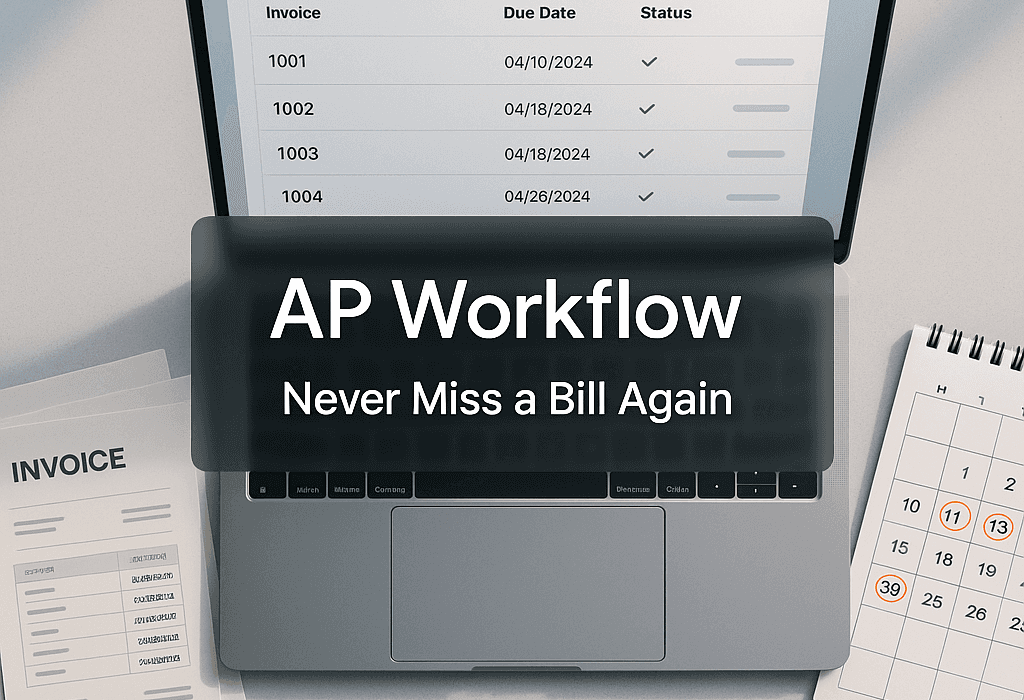

If you have ever found a bill a little too late. Like, you open your email, there it is, and your stomach kind of drops because you know it is already overdue. Yeah.
Most business owners do not miss bills because they are careless. They miss them because accounts payable is usually a bunch of half systems duct taped together. Some bills in email. Some paper. A vendor texted you a picture of an invoice. Somebody mailed something to your old address. Your bookkeeper is asking if it was paid, and you are like, I honestly do not know, I think so?
This is exactly why you need a simple AP workflow. Not fancy. Not enterprise. Just something that makes it basically impossible for bills to disappear.
This post is that workflow.

What “Never Miss a Bill Again” actually means
It does not mean you pay everything instantly.
It means:
- Every bill has one place it goes the moment it arrives
- Every bill gets logged the same way, every time
- Every bill gets approved by the right person (even if that person is you)
- Every bill is either scheduled to pay or intentionally held
- Every bill is visible on a calendar, report, or dashboard so surprises stop happening
So when you sit down once or twice a week, you can see the whole picture in like 5 minutes. That is the goal. Not perfection.
Step 1: Create one intake lane for all bills
This is the part people skip, then wonder why things are chaotic.
Pick your lane. One lane.
Here are three solid options:
Option A: A dedicated “Bills” email inbox (simple and effective)
Create something like bills@yourcompany.com.
Then you do two things:
- Tell vendors to send invoices there. Put it on purchase orders, vendor onboarding, email signatures, whatever.
- Forward any bill you receive anywhere else into that inbox. Immediately. No thinking.
That is it. Now bills are not scattered across five inboxes and text messages.
Option B: A scanner app folder (for paper bills)
If you still get paper invoices, pick one scanning method. Phone scanner is fine.
Rule: scan it the day it arrives. Same day. No stacks.
Option C: Use Bill Pay intake inside QuickBooks Online
If you are using QBO, you can upload bills directly into the Bills area. If you are consistent, this works well. If you are not consistent, it becomes a graveyard.
The real point is this: you need one front door.

Step 2: Log every bill (yes, even the small ones)
Once a bill hits your intake lane, it needs to be logged.
Your logging tool can be:
- QuickBooks Online Bills
- A spreadsheet (if you are not ready for QBO bills yet)
- An AP tool (if you are larger and have volume)
For most small businesses, QuickBooks Online Bills is the sweet spot.
The minimum fields you need
Do not overcomplicate it. Log these:
- Vendor name
- Bill date
- Due date
- Amount
- What it is for (memo or category)
- Payment method (ACH, check, credit card)
- Status: Unapproved, Approved, Scheduled, Paid
That status column is what keeps you sane.
A tiny rule that changes everything
If it is not logged, it does not exist.
That sounds dramatic, but it is how you stop “phantom bills” from creeping up.
Step 3: Approvals (a lightweight version that actually happens)
Approvals do not have to be corporate. They just have to be consistent.
Here are two approval setups that work in real life.
If it is just you (solo owner)
Your approval step is basically: review the bill entry for accuracy, then mark it Approved.
Still a step. Still important.
If you have a team
Set one rule like:
- Bills under $500: office manager approves
- Bills over $500: owner approves
- Anything “new vendor” or “weird”: owner approves
And approvals should happen on a schedule. Not random. Which brings us to the next piece.
Step 4: Put AP on a schedule (this is where the magic is)
You do not need to look at bills every day. You just need a rhythm.
A simple weekly AP cadence
Pick two days. Example:
- Tuesday: enter and approve bills
- Friday: pay bills (or schedule payments)
That is it.
If you do it consistently, vendors get paid on time and your cash flow stops getting ambushed.
To streamline this process further, consider adopting a more structured approach to your accounts payable cycle. This can help ensure that all steps are followed consistently and efficiently, reducing the chances of errors or missed payments.
The “No Surprise Friday” rule
Before you pay anything Friday, glance at:
- current bank balance
- expected deposits before the next pay run
- upcoming payroll
- upcoming sales tax or loan payments
- the bills due before next week’s AP day
It takes 10 minutes. But it prevents that feeling of, wait, why is my account suddenly low?

Step 5: Choose how you pay and keep it consistent
Paying bills is not just paying bills. It is also how clean your books stay.
ACH when possible
ACH is trackable, usually faster, and makes reconciliation cleaner.
Credit card strategically (not randomly)
Cards can help with cash flow, points, and separating expenses. But only if you:
- reconcile monthly without fail
- avoid interest
- do not mix personal spending (seriously, do not)
Checks only when you have to
Checks are fine, but they increase admin time. If you are writing a lot of checks, that is a sign you might want a bill pay setup change.
Step 6: Reconciliation is not optional (it is how you catch misses)
Even with a great AP workflow, mistakes happen:
- duplicate bill entered twice
- payment cleared but not recorded properly
- vendor applied your payment to the wrong invoice
- a bill you never received hits you with a late fee
Reconciliation is the safety net.
At minimum:
- Reconcile bank accounts monthly
- Reconcile credit cards monthly
- Review vendor aging monthly (who is unpaid, and why)
If you want your AP workflow to actually stay solid, reconciliation is the maintenance.
This is also where having clean bookkeeping support matters. If your books are not consistently reconciled, your AP system will slowly start lying to you.
If you want someone to sanity check the setup, Smart Bookkeeping Partner offers a free QuickBooks “health check” where you can see what is being recorded correctly, what is not reconciled, and what cleanup is needed. You can find that at: https://smartbookkeepingpartner.com/
Or call 985-401-1210 if you prefer to just talk it out.
Step 7: Build a simple AP dashboard (so you can see problems early)
You do not need a fancy dashboard. You need visibility.
Here are three “views” that work.
View 1: Bills due in the next 7 days
This is your near term cash planning.
View 2: Bills due in the next 30 days
This prevents the end of month scramble.
View 3: Overdue bills
This should be as close to zero as possible. If it is not, do not panic. Just investigate the pattern.
In QuickBooks Online, you can use:
- A/P Aging Summary
- Unpaid Bills report
- Vendor Balance Detail
And even if you never touch reports, at least open the Bills list and filter by due date weekly.
The AP Workflow (copy this)
Here is the workflow in plain language. Print it. Put it in your notes app. Whatever.
- Bills come in one place (bills inbox, scan folder, or QBO upload)
- Enter the bill (vendor, amount, due date, category/class if needed)
- Attach the invoice (PDF or scan, always)
- Approve it (owner or delegated approver)
- Schedule payment (ACH, card, check)
- Pay on AP day (weekly rhythm)
- Reconcile monthly (bank, card, vendor aging review)
That is the system.
Not perfect. But consistent. And consistency is what stops missed bills.
Common failure points (and how to fix them fast)
“Some bills still come to my personal email”
Forward them immediately. Also, slowly train vendors to use the bills inbox. To assist with this transition, consider updating vendor profiles once a month. Pick 5 vendors and fix their invoice email. Over a few months, it cleans itself up. You can find more information on managing vendor information here.
“We approve bills, but then forget to pay”
That is a scheduling problem, not an AP problem.
Set a recurring calendar event called “AP Pay Run” and treat it like a meeting. Because it is.
“We paid it, but it still shows unpaid in QuickBooks”
This is usually one of these:
- payment was recorded as an expense, not a bill payment
- payment was applied to the wrong bill
- bill was duplicated
- bank feed created a messy match
This is where cleanup matters. It is fixable, but you need to catch it early.
“Cash flow is tight so we delay bills”
Delaying bills is normal sometimes. The issue is when it is an untracked delay.
If you are going to hold bills, do it intentionally:
- mark them as Approved but not Scheduled
- add a note: “Hold until next client payment clears”
- review twice a week
Silence is what causes late fees.
A quick note on payroll (because it affects your AP calendar)
Payroll is one of the biggest cash events in most small businesses. It is not exactly AP, but it sits right next to it on the cash flow timeline.
If you are using Gusto, or thinking about switching, Smart Bookkeeping Partner has a referral promo that is honestly worth taking if you are new. Use this Gusto referral link to sign up:
https://gusto.com/r/everylanne4b19bb6
After your first paid bill, you will receive $200 worth of gift cards as a new Gusto client through the Smart Bookkeeping Partner promo.
That payroll predictability plus a consistent AP routine is a strong combo. Less scrambling.
Also remember that managing your business effectively can help prevent these common pitfalls. For more insights on how to manage your business effectively, consider exploring additional resources available from reputable sources.
When you should get help (and it is not a “failure” thing)
If any of these are true, you probably do not need another app. You need a reset and a cleaner process.
- You have no idea what bills are due this month without digging
- Vendors are following up more than you would like
- You are paying late fees more than once in a while
- Your QuickBooks has unreconciled accounts and old payables that never clear
- You are profitable but cash feels randomly tight
That is the moment to get a second set of eyes on the workflow and the books underneath it.
You can start with the free QuickBooks health check from Smart Bookkeeping Partner here: https://smartbookkeepingpartner.com/
Or call 985-401-1210 to talk through what is happening and what you want the numbers to do for you.
Wrap up (keep it boring, keep it consistent)
The best AP workflow is not the one with the most features. It is the one you actually follow.
One intake lane. Log every bill. Approve. Schedule. Pay on a rhythm. Reconcile. Repeat.
And after a few weeks, something kind of nice happens. You stop bracing for surprises.
You start trusting your numbers. Which, honestly, is the whole point.
FAQs (Frequently Asked Questions)
What does ‘Never Miss a Bill Again’ mean in managing accounts payable?
It means having a simple, consistent workflow where every bill goes to one place immediately, is logged the same way every time, approved by the right person, scheduled for payment or intentionally held, and is visible on a calendar or dashboard to avoid surprises. The goal is to see the whole picture quickly without aiming for perfection.
How can I create an effective intake lane for all bills?
Choose one dedicated channel for all incoming bills to avoid chaos. Options include a dedicated ‘Bills’ email inbox where vendors send invoices, a scanner app folder for paper bills scanned on the day they arrive, or using Bill Pay intake inside QuickBooks Online if you use QBO. The key is having one front door so bills don’t get scattered.
What information should I log when recording each bill?
At minimum, log vendor name, bill date, due date, amount, what it is for (memo or category), payment method (ACH, check, credit card), and status (Unapproved, Approved, Scheduled, Paid). Keeping this consistent helps prevent phantom bills and keeps your accounts payable organized.
How should approvals be handled in a small business accounts payable process?
Approvals should be consistent but lightweight. If you’re a solo owner, review and mark bills as Approved yourself. If you have a team, set simple rules like office manager approves bills under $500; owner approves bills over $500 or any new or unusual vendors. Schedule approvals regularly rather than randomly.
What is the recommended schedule for managing accounts payable effectively?
Establish a weekly cadence such as entering and approving bills on Tuesday and paying or scheduling payments on Friday. This routine ensures timely payments and helps maintain healthy cash flow. Additionally, before paying on Friday, review your bank balance and upcoming obligations to avoid surprises—this is called the ‘No Surprise Friday’ rule.
Why is it important to have one consistent system for handling all bills?
Having one consistent system prevents bills from getting lost across emails, paper mail, texts, or old addresses. It makes it impossible for bills to disappear by ensuring every invoice has a clear path into your workflow. This reduces stress and avoids late payments caused by chaotic or fragmented systems.